Clouds. Clouds are everywhere. Some clouds bring rain,
others create shade on an extra sunny day. Some clouds even provide digital
storage solutions. That’s right folks, clouds have gone digital. Microsoft has
Skydrive. Apple has iCloud. There is even the Independent cloud called DropBox.
And Google has Google Drive. Cloud based storage has a lot of us stumped. It
seems mystical: “cloud storage”. How does one access the cloud? How do I store
my stuff in the cloud? or “on the cloud”?
Cloud storage is simply saving data to an
off-site storage location that is maintained by a third party. Instead of
storing information to your computer’s hard drive (MY DOCUMENTS) or other local
storage device (disks, cds, jump drives or external hard drives) you save it to
a remote location. The Internet provides the connection between your computer
and the remote location.
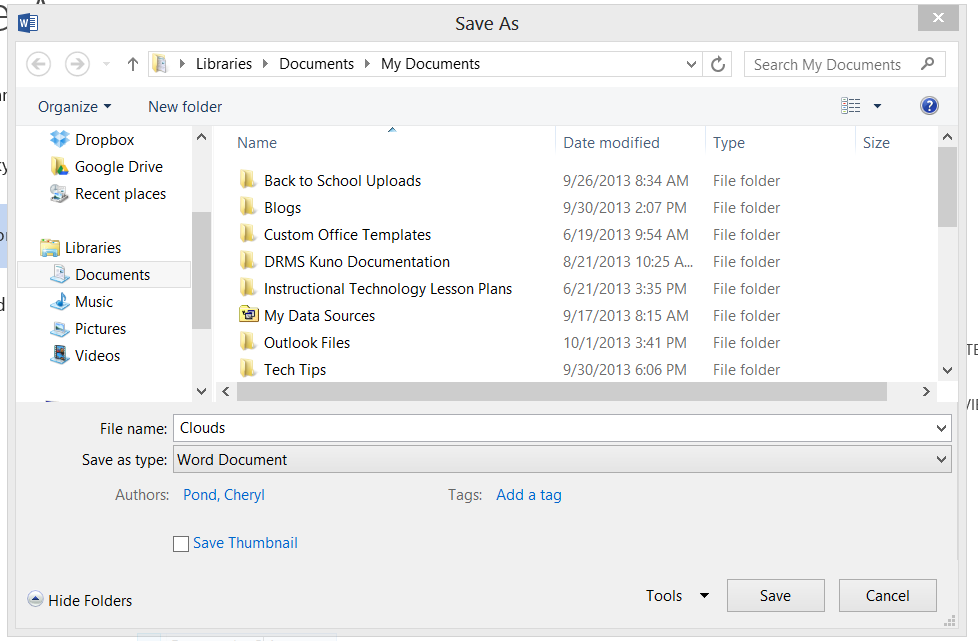
Cloud storage has several
advantages over traditional data storage. For example, if you store your data
on a cloud storage system, you’ll be able to access that data from any location
that has Internet access. That’s right, no more carrying around a bag full of
jump drives or a cd organizer full of cd’s with sharpie marker scribbled
titles. You are also freed from the impossible task of finding the exact same
computer you used when you created the “data” and save it to the My Documents
as you always have. And as an additional bonus, the right cloud storage system
will even allow you to share your
data with other people. So now that individual project becomes a collaborative
effort. (I hope you read that paragraph in your
best-cable-television-commercial-announcer-voice because that is the voice I
used to write it.)
So, which cloud storage option
is the best? Well, I have used all three of the aforementioned. All three offer
a free version and a paid version. Dropbox is easy to use and if you share
files with people who do not already have a Dropbox account you get free space.
Microsoft SkyDrive I have used as well but have much less experience with. My
school district is going with Google Drive, thus the focus of 31 Days of
Google. Google Drive is one of the many applications offered by the Google
branding. It allows users to create one account to access all applications and
the Google Drive application can be downloaded and installed to any mobile
device or PC to allow access to all data 24/7. And, here is the silver lining
to this whole cloud thing – the data automatically syncs for each device on
which Google Drive is installed.
Tune in tomorrow for more
Google Goodness. J
